
Engineers often start an incident investigation with logs, yet log data is easy to lose control of. Teams collect it from microservices, Kubernetes pods, cloud infrastructure, APIs, databases, queues and third-party systems. Spread across disconnected tools, those logs slow investigations, raise retention costs and bury useful signals.
Storage, query and pricing models affect investigation speed and retention cost. A useful platform must collect and parse events, make them searchable, support alerts and dashboards and retain enough history for engineers to diagnose incidents.
This guide compares 10 logging tools by features, pricing, deployment model, query experience and best-fit use case. It covers managed log monitoring platforms, self-hosted logging platforms and unified observability products. Prices and product details were checked against vendor pages on August 20, 2026.
Quick answer: Parseable fits teams that want SQL, object storage and deployment control. Datadog and New Relic fit teams already using their wider observability suites. Grafana Loki suits Grafana-centric Kubernetes environments. Elastic remains a strong choice for full-text search, while Splunk is built for enterprise search and security workflows.
Disclosure: Parseable publishes this comparison and is included in it. The recommendations below use the same evaluation criteria for every product. Tools are ordered by buyer fit, not benchmark performance. Verify current pricing and test each finalist with your own log volume and queries before buying.
10 Best logging tools at a glance
| Tool | Best for | Deployment | Open source | Pricing model | Key strength |
|---|---|---|---|---|---|
| Parseable | Cost-efficient unified observability | Self-hosted, Cloud | Yes | Usage-based, self-hosted | S3-native columnar storage, unified MELT |
| Datadog | Existing Datadog observability users | SaaS | No | Per GB ingested + indexing | Broad integration ecosystem |
| Better Stack | Startups and fast incident response | SaaS | No | Usage-based | Logs + alerting + incident response |
| Elastic Stack | Full-text search and Elastic-native teams | Self-hosted, Cloud | Mixed | Self-managed / subscription | Elasticsearch full-text search |
| Grafana Loki | Grafana and Kubernetes teams | Self-hosted, Cloud | Yes | Open source / usage-based | Label-based cost-efficient log storage |
| Splunk | Enterprise security and large-scale analytics | Self-hosted, Cloud | No | Custom / ingest-based | SPL analytics and SIEM |
| New Relic | APM-led full-stack observability | SaaS | No | 100 GB free, then per GB | APM and log correlation |
| Sumo Logic | Cloud-native security and compliance | SaaS | No | Custom | Security analytics and compliance |
| Graylog | Self-hosted, cost-sensitive teams | Self-hosted, Cloud | Yes (core) | Open source / paid tiers | OpenSearch-backed self-hosted logging |
| Axiom | Long-retention cloud log analytics | SaaS | No | Usage-based | Fast queries and long retention |
How we evaluated the tools
We reviewed each product against six questions that affect production use:
- Can it collect the team's real data? We checked support for common agents, OpenTelemetry, Kubernetes and cloud sources.
- Can engineers find an incident quickly? We compared query models, parsing, live tailing, dashboards and alerts.
- What does retention cost? We looked beyond headline ingest rates to indexing, storage, retention and user charges.
- Where can it run? We separated SaaS-only tools from products with self-hosted, cloud, or hybrid deployment.
- Does it cover the required workflow? Some teams need standalone log analysis; others need correlation with metrics, traces, security, or incident response.
- What trade-off does it make? Every logging platform favors something: search depth, operational simplicity, storage efficiency, security analytics, or ecosystem fit.
This is a product and documentation review, not a controlled benchmark. A benchmark using one dataset would not predict performance or cost for every schema, retention period and query mix.
What are logging tools?
Logging tools collect, parse, store, search and monitor events from applications and infrastructure. A production platform should also support dashboards, alerts, retention controls and the integrations required to move from an error signal to its cause.
This comparison covers platforms that ingest, retain, query and act on log data. It excludes collectors such as Fluent Bit and Logstash that need a separate storage and analysis backend. If collection, processing and routing are the primary requirements, compare these log aggregation tools.
Logging tools vs log monitoring tools vs log management tools
These terms are often used interchangeably, but they describe different scopes:
- Logging tools is the broad category. It covers any tool involved in collecting, storing, searching, or analyzing log data.
- Log monitoring tools focus on real-time detection, alerting and operational response. The goal is to surface problems as they happen, not just store data for later.
- Log management tools cover the full lifecycle: ingestion, indexing, storage, retention, governance, compliance reporting and long-term access. Log management is a broader concern than real-time monitoring alone.
- Observability platforms combine logs with metrics, traces and events inside a single workflow that includes dashboards, alerting and incident response. Parseable, Datadog, New Relic and Sumo Logic all sit in this category.
Many products span more than one category. Choose based on the job: real-time detection, full-lifecycle log management, security analysis, or correlation with metrics and traces.
Detailed review of the best logging tools
1. Parseable: Best for SQL and object-storage economics
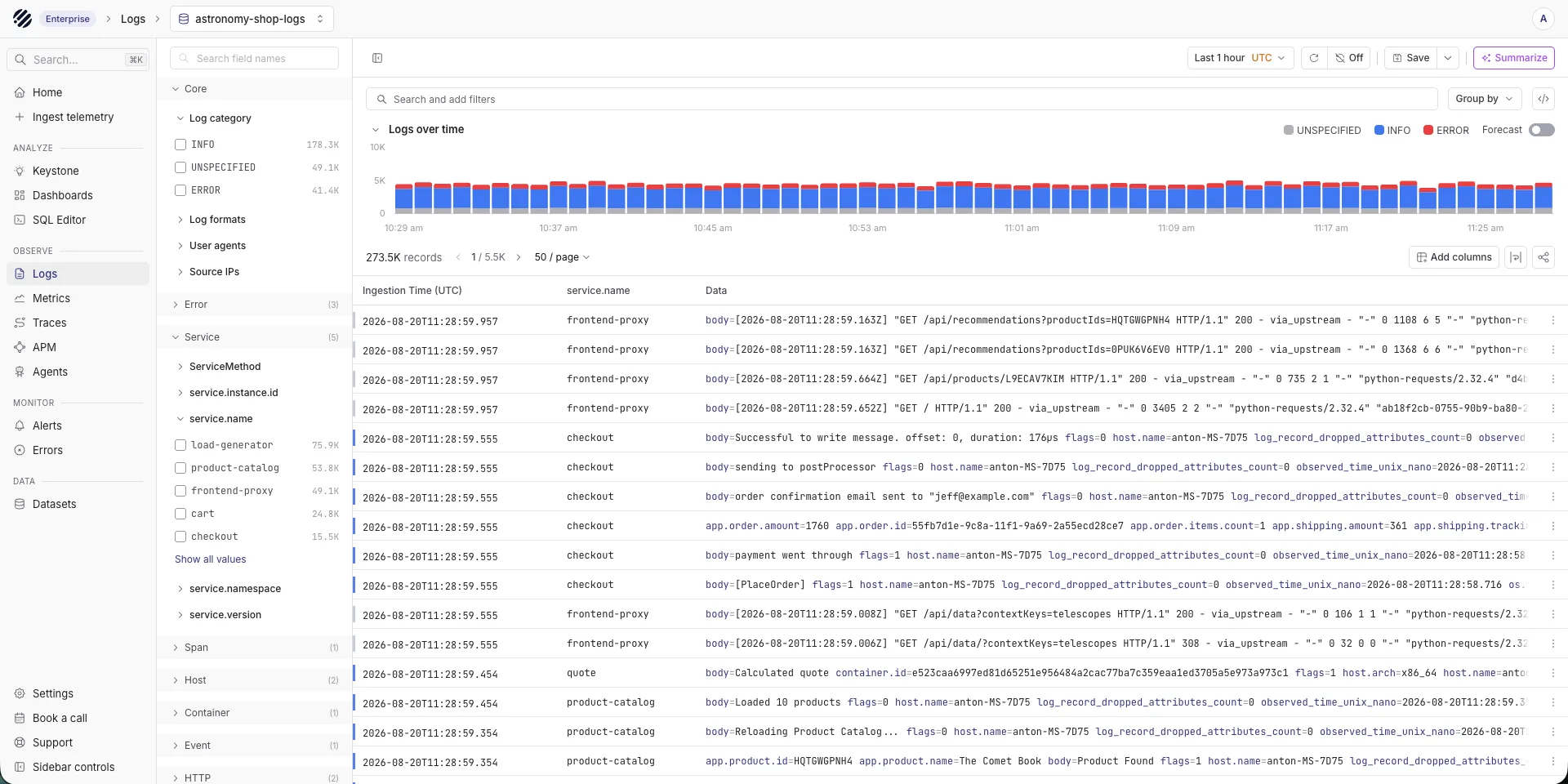
Parseable is an open-source observability platform built around S3-compatible object storage and Apache Parquet. It brings logs, metrics, events and traces into one system, accepts OpenTelemetry data and exposes SQL for analysis. It fits teams that need longer retention, deployment control, or an alternative to indexing-heavy storage.
Key features
- Object-storage-native architecture: Stores telemetry in Apache Parquet on S3-compatible storage.
- SQL and natural-language analysis: Supports familiar analytical queries without requiring a proprietary query language.
- Unified telemetry: Handles logs, metrics, events and traces with OpenTelemetry ingestion.
- Deployment choice: Available as open-source self-hosted software, managed cloud and enterprise deployments.
Best for
DevOps, SRE and platform teams that want SQL, OpenTelemetry, object-storage economics and a choice between self-hosted and managed deployment.
Pricing
Parseable is free to self-host. Parseable Cloud starts at $0.39 per GB ingested, while Enterprise starts at $15,000 per year. See the pricing page for current terms.
Pros
- Open formats and object storage reduce data lock-in
- SQL and OpenTelemetry fit common engineering workflows
- Self-hosted and managed deployment options
Cons
- Some enterprise capabilities require the Enterprise plan
- Teams migrating from legacy logging tools may need to rebuild dashboards, alerts, or saved queries
2. Datadog: Best for existing Datadog users
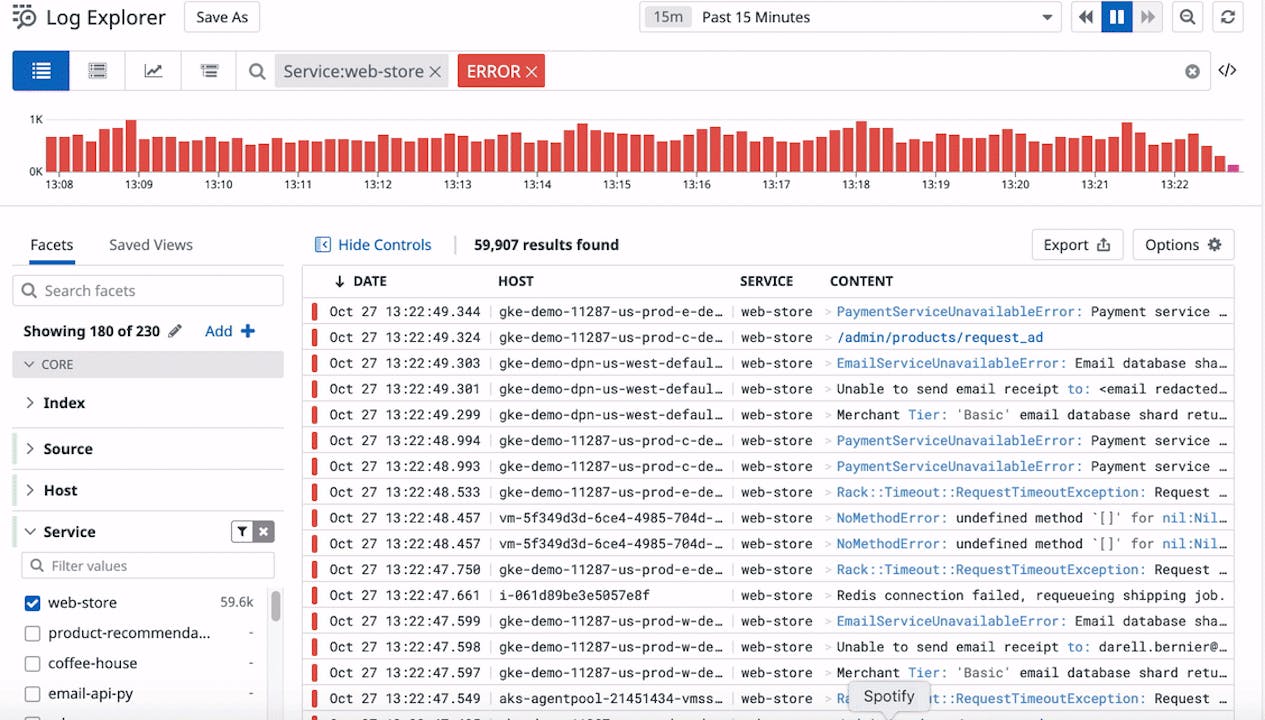
Datadog is a managed observability platform for teams that want logs, metrics, traces, dashboards, APM and alerting inside one workflow. If a team already uses Datadog for infrastructure monitoring or application performance monitoring, adding log management keeps investigations in the same product.
Datadog Log Management includes log ingestion, a live search interface, log pipelines for parsing and enrichment, tiered storage options and log-to-trace correlation. Teams already using Datadog can reuse its agents, dashboards, integrations and service context.
Datadog's pricing model compounds across ingestion, indexing, retention and other product modules. Teams with high log volumes need to model costs carefully before committing, especially at scale.
Key features
- Log Explorer and live search: Search and filter log streams in real time with flexible query syntax and faceted filtering
- Log pipelines and parsing: Transform raw logs into structured data using processors, grok patterns and enrichment rules
- Log-to-trace correlation: Move directly from a log entry to the associated distributed trace for faster incident investigation
- Dashboards and alerts: Visualize log-derived metrics and set threshold-based or anomaly alerts with notification routing
Pricing
Datadog's published Log Management pricing starts at $0.10 per ingested GB. Standard indexing with 15-day retention starts at $1.70 per million events under annual billing. Retention tiers and additional Datadog products are priced separately, so model both current and projected volume.
Pros
- Unified observability across logs, metrics, traces, APM and infrastructure in one platform
- Broad integration ecosystem across common cloud and engineering tools
- Strong log-to-trace correlation for incident investigation
Cons
- Pricing compounds quickly across ingestion, indexing, retention and additional modules
- Vendor lock-in is significant once dashboards, alerts and agents are standardized on Datadog
- Not cost-efficient for teams that need long-retention log analytics without using the broader Datadog platform
3. Better Stack: Best for incident-response workflows
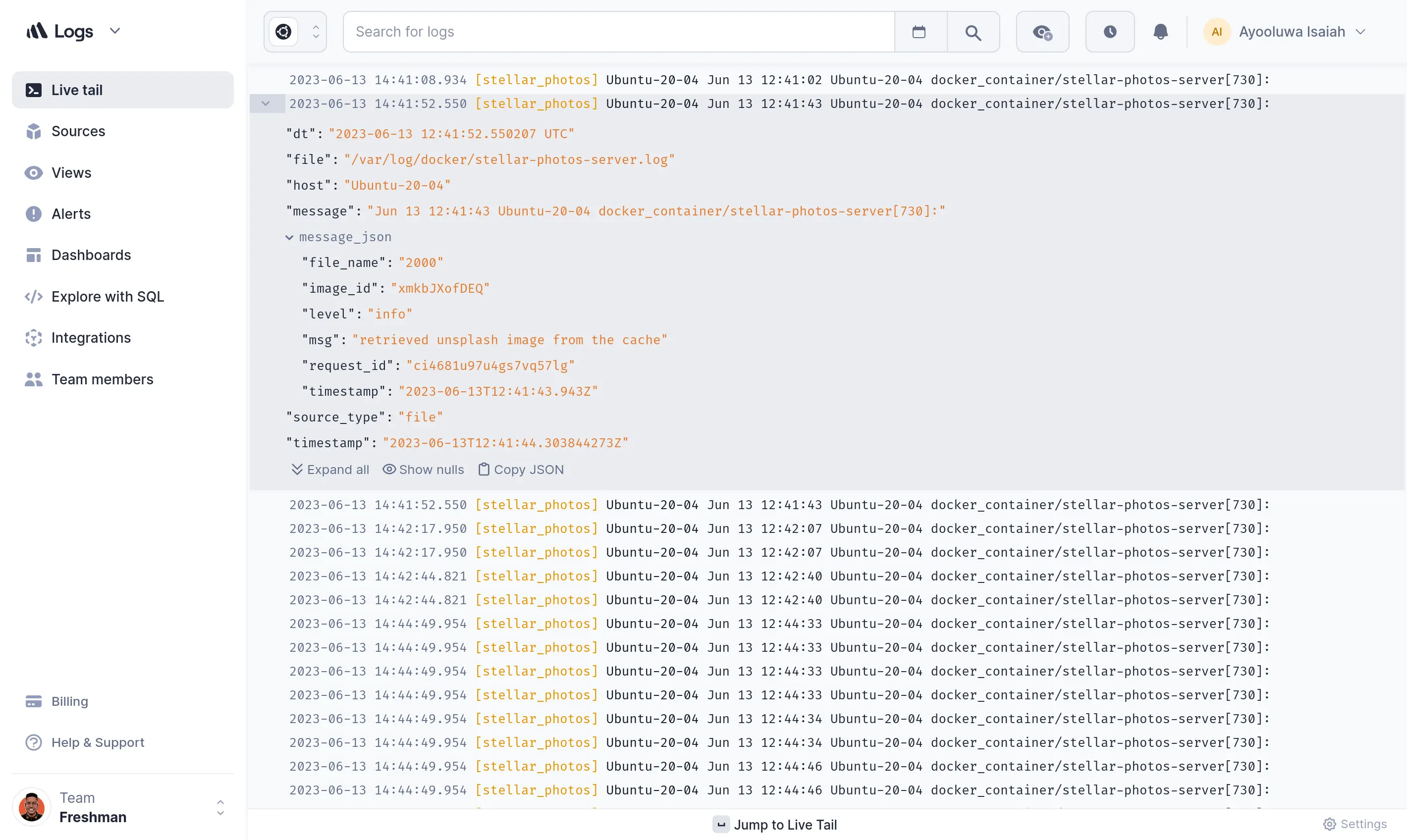
Better Stack combines centralized logs, live tailing, SQL-style querying, dashboards, alerts and on-call workflows. Startups and developer-focused teams can get running without managing the underlying infrastructure.
It also includes uptime monitoring, incident management and status pages. Teams can use one product for logs and incident response instead of integrating a separate tool for each layer.
Key features
- Centralized log aggregation: Collect logs from applications, infrastructure, Kubernetes and cloud services through standard integrations
- SQL-compatible log querying: Query log data using SQL-style syntax, which is accessible to developers and data teams without a proprietary language learning curve
- Live tailing: Monitor log streams in real time for immediate visibility during deployments or active incidents
- Dashboards and alerting: Build dashboards from log data and set threshold or anomaly-based alerts with notification routing
- Incident management and on-call workflows: Route alerts to on-call engineers, manage escalation policies and track incident timelines
Pricing
Better Stack has a free plan with limited telemetry. Its published Telemetry bundles start at $25 per month when billed yearly, or $30 monthly, for 40 GB each of logs, traces and metrics with 30-day log retention. Region and additional products can change the total.
Pros
- Combines log management with incident response and uptime monitoring in one product
- SQL-style querying is accessible without learning a proprietary query language
- Fast setup with standard integrations and no infrastructure to manage
Cons
- Less mature for large-scale enterprise log analytics than Datadog, Splunk, or Elastic
- Long-retention log analytics and deep security capabilities are limited compared to specialized cloud logging tools
- SaaS-only deployment may not suit teams with data residency or compliance requirements
4. Elastic Stack: Best logging tool for full-text search and Elastic-based teams
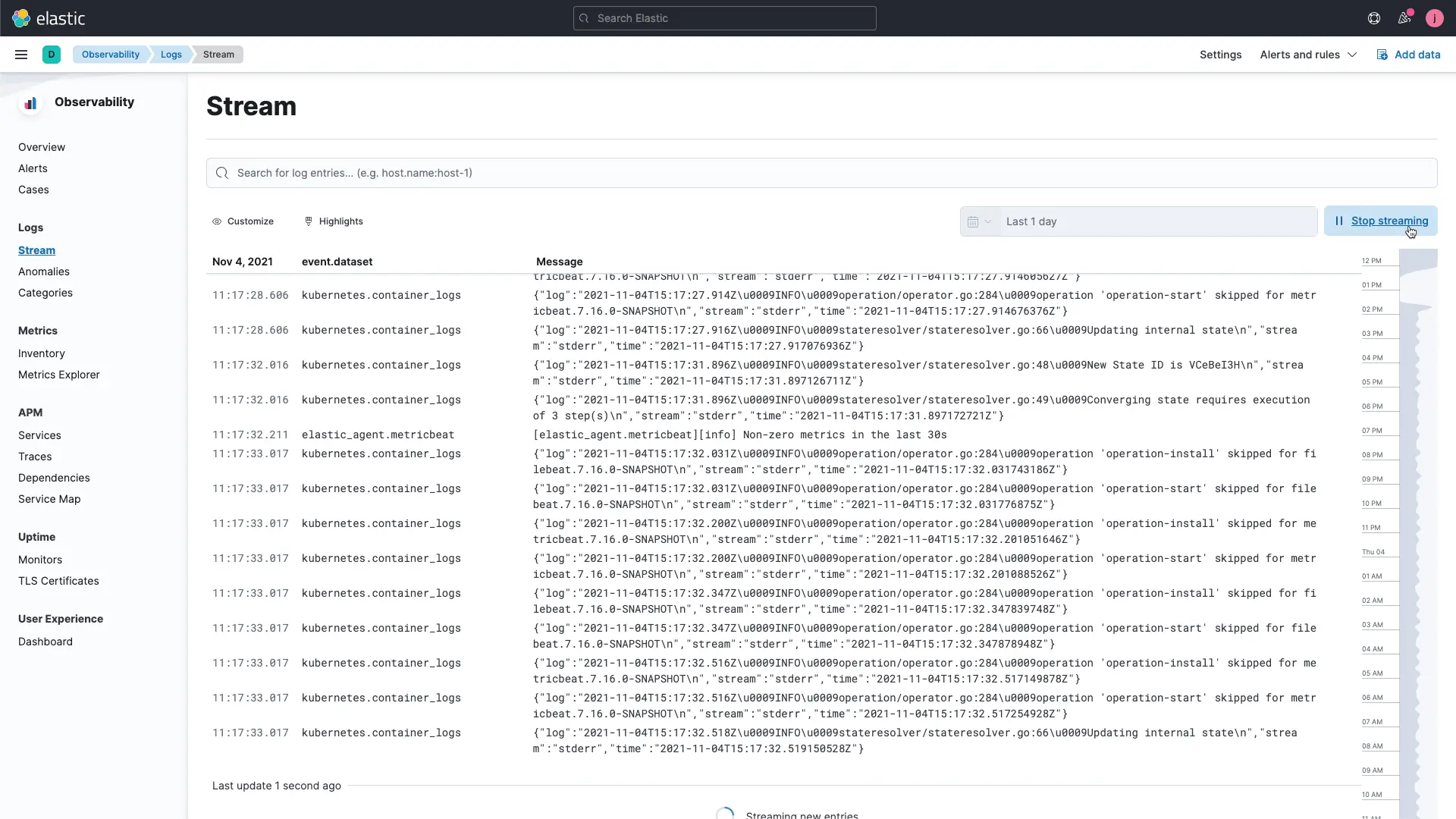
Elastic Stack includes Elasticsearch, Kibana, Logstash and the Beats family of agents. It suits teams already using Elastic, teams that need advanced full-text search across log data and organizations that want a customizable self-hosted platform.
Elastic Observability extends the core stack with application performance monitoring, infrastructure monitoring and unified dashboards. For teams already running Elasticsearch, adding log management is a natural extension. For teams evaluating a new platform, Elastic is worth considering when full-text search depth or Kibana familiarity are priorities. For a broader view of visualization options alongside Kibana, read our article on Grafana alternatives.
Key features
- Elasticsearch full-text search: Mature full-text search and inverted-index querying across large log datasets
- Kibana dashboards: Rich visualization and dashboard layer for log analytics, including Lens, Canvas and Maps for flexible reporting
- Beats and Logstash ingestion: Lightweight Beats agents for log collection and Logstash pipelines for transformation and enrichment
- Elastic SIEM and security: Built-in security analytics, threat detection rules and SIEM capabilities for security operations teams
Pricing
Elastic offers self-managed downloads alongside resource-based hosted and usage-based serverless pricing. Managed cost depends on cloud resources, storage, region and service tier rather than one representative monthly price. Some advanced capabilities require a paid subscription.
Pros
- Mature full-text search and Lucene-based querying for log analysis
- Strong self-hosted option with full data control and no SaaS dependency
- Kibana is a mature, feature-rich dashboard and visualization layer
- Elastic SIEM provides strong security log analytics within the same platform
Cons
- Index and shard management adds operational overhead at scale
- Storage costs increase significantly with long retention due to inverted index overhead
- Requires significant Elastic expertise to run efficiently at large scale
5. Grafana Loki: Best open-source logging tool for Grafana and Kubernetes teams
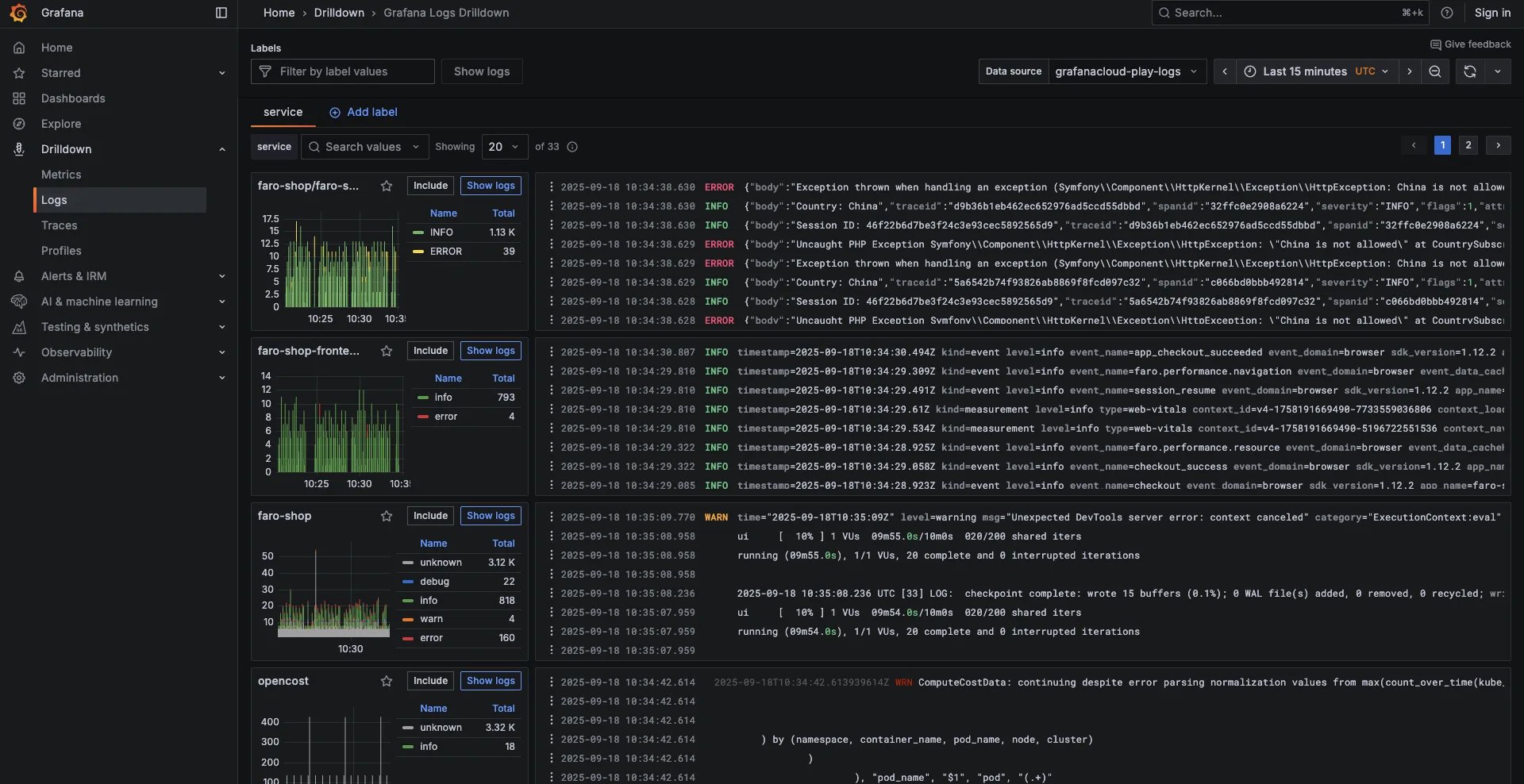
Grafana Loki is an open-source, horizontally scalable log aggregation system designed to complement the Grafana observability stack. Unlike Elasticsearch, Loki does not index the full content of log lines. Instead, it indexes only labels (metadata like namespace, pod, service), which reduces storage overhead and infrastructure cost. The full log content is stored compressed on object storage.
Loki is purpose-built for Kubernetes-heavy environments and teams already running Prometheus, Grafana and Tempo. If the team's observability stack is centered on the Grafana ecosystem, Loki is the natural logging component.
Key features
- Label-based log indexing: Indexes metadata labels rather than full log content, reducing storage and infrastructure cost compared to inverted-index systems
- Grafana integration: Native datasource support in Grafana, making it easy to correlate logs with Prometheus metrics and Tempo traces in unified dashboards
- Kubernetes-native logging: Designed to work naturally with Kubernetes label sets for collecting pod and container logs
- LogQL querying: Loki's query language supports log filtering, label-based selection and log-to-metric derivation for Grafana panels
Pricing
Grafana Loki is open source and free to self-host. Grafana Cloud pricing includes 50 GB of logs per month with 14-day retention on the free tier. Paid logs are billed separately for processing, writing and retention, so use Grafana's calculator for the intended volume and retention period. Self-hosted cost depends on the infrastructure and object storage the team operates.
Pros
- Cost-efficient log storage using object storage and label-based indexing
- Native fit for Grafana, Prometheus and Tempo-based observability stacks
- Kubernetes-native with strong label-based filtering for containerized environments
Cons
- LogQL has a learning curve compared to SQL or Lucene-based querying
- Limited full-text search compared to indexed solutions like Elasticsearch
- High-cardinality labels can degrade performance if not carefully managed
6. Splunk: Best for enterprise security analytics
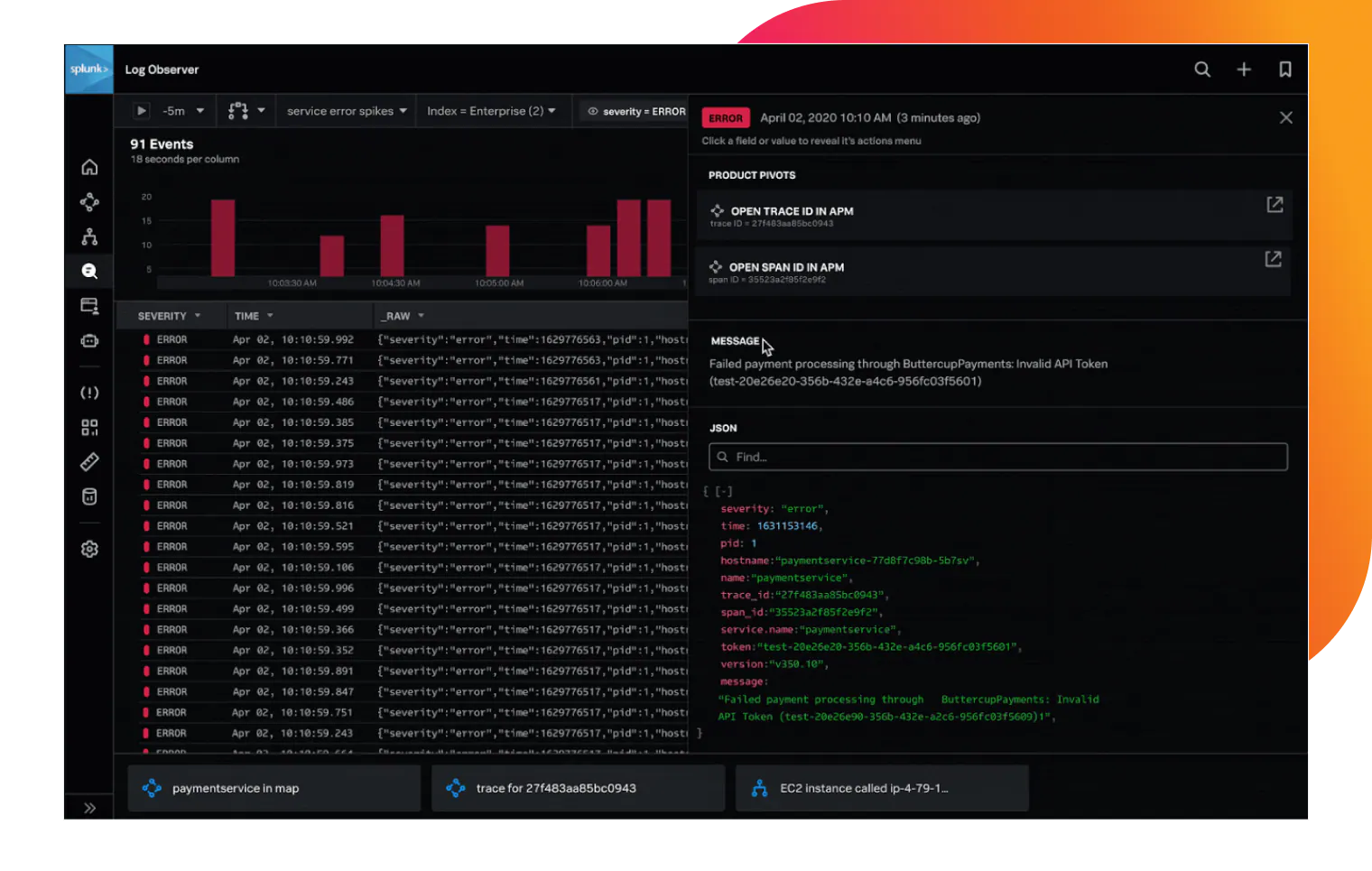
Splunk is an established enterprise platform for log search, analytics and security information and event management. It fits organizations that need SPL-based querying, SIEM capabilities and enterprise governance across large log volumes.
Splunk's strength is depth. Its Search Processing Language (SPL) supports complex analysis, Splunkbase provides a broad integration catalog and the platform has mature security workflows. That depth also brings cost, operational and learning-curve trade-offs.
Key features
- SPL query language: Expressive search and analytics language for complex log queries, aggregations, correlations and scheduled reports
- Enterprise log search and analytics: Handles large-scale log ingestion with real-time and historical search capabilities designed for enterprise environments
- SIEM and security workflows: Threat detection rules, security dashboards, compliance reporting and integration with security ecosystems
- Dashboards, reports and alerts: Comprehensive visualization layer with scheduled reports, threshold-based alerting and notification routing
Pricing
Splunk publishes activity-based, workload and ingest pricing models, but buyers must request a quote. The available model depends on the product and deployment. Compare quotes using the same daily volume, retention, user count and search workload used for the other finalists.
Pros
- Expressive SPL analytics for complex log queries and investigations
- Comprehensive SIEM and security analytics capabilities
- Proven at very large scale in enterprise and government environments
Cons
- Public pricing is limited, which makes comparison difficult without a quote
- SPL has a significant learning curve compared to SQL-based log querying
- Proprietary stack creates significant vendor lock-in
7. New Relic: Best for APM-centric teams
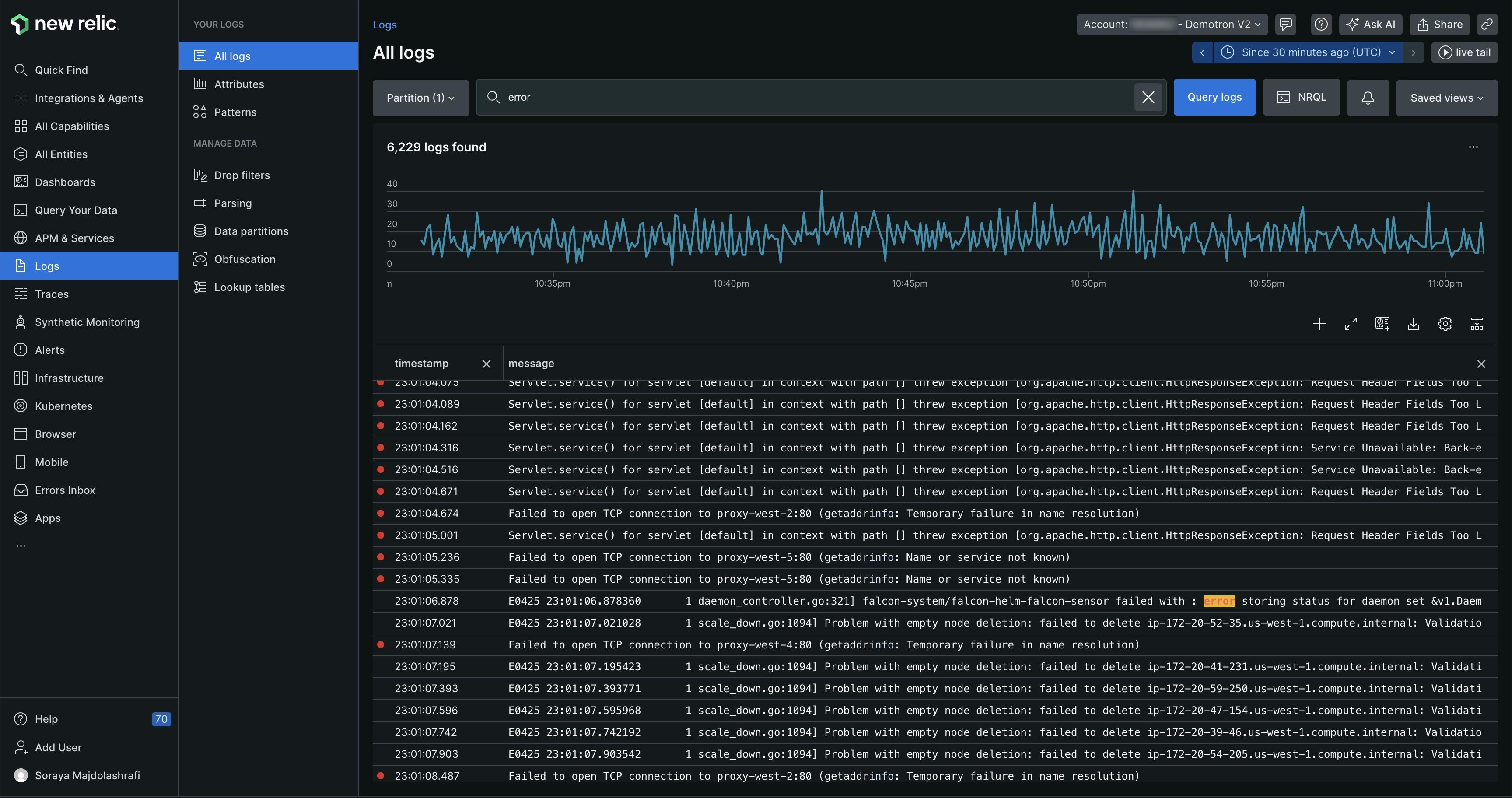
New Relic is a full-stack observability platform that includes log management as part of a broader suite covering APM, infrastructure monitoring, distributed tracing, browser monitoring and synthetics. For teams that use New Relic as their primary observability platform, integrating log management keeps investigation workflows in one place without adding a separate logging product.
New Relic's log management includes a log explorer, NRQL-based querying and direct correlation between logs and other telemetry signals. Its pricing model includes a generous 100 GB free tier per month across all telemetry types, which makes it accessible for smaller teams before volume-based pricing applies.
Key features
- Log management with NRQL querying: Search and analyze logs using NRQL alongside metrics, traces and application data in a unified query interface
- APM and infrastructure correlation: Link log events directly to application traces, transaction data and infrastructure metrics for end-to-end investigation
- Dashboards and alerts: Build custom dashboards combining logs with metrics and traces and set alerts on log-derived signals
- Broad agent and integration support: Ingest logs via Fluent Bit, Logstash, AWS Lambda, Kubernetes and other sources
Pricing
New Relic's published pricing includes 100 GB of data ingestion per month. Original data ingest is $0.40 per GB beyond the free allowance, while Data Plus is $0.60 per GB. User charges and plan features can also affect the total.
Pros
- 100 GB/month free tier makes it accessible for smaller teams to start without upfront cost
- Strong APM and log correlation for application-focused observability
- NRQL is consistent across all telemetry types within the New Relic platform
Cons
- NRQL is a proprietary query language with a learning curve for teams used to SQL
- Cost increases significantly beyond the free tier at high ingestion volumes
- No self-hosted option for teams with strict deployment-control requirements
8. Sumo Logic: Best for cloud SIEM and compliance
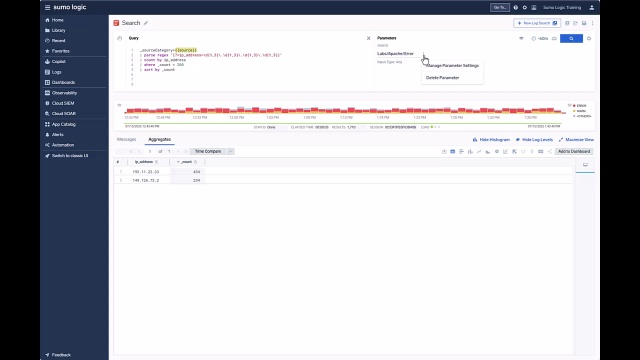
Sumo Logic is a cloud-native log analytics and security platform designed for organizations with complex security, compliance and operational monitoring requirements. It is purpose-built for cloud environments and provides managed analytics, compliance reporting and security operations capabilities.
Sumo Logic serves regulated industries such as financial services, healthcare and government with built-in compliance frameworks and security workflows. It is managed SaaS, so teams trade infrastructure control for lower operating overhead.
Key features
- Cloud-native log analytics: Managed ingestion, indexing and analytics designed for cloud-scale log volumes without infrastructure overhead
- Security analytics and SIEM: Threat detection, security dashboards and integration with security intelligence feeds for SOC teams
- Compliance reporting: Pre-built compliance frameworks for SOC 2, HIPAA, PCI DSS and other regulatory standards
- Machine learning insights: Anomaly detection and log reduction capabilities to surface patterns across large log volumes
Pricing
Sumo Logic uses a combination of subscription-based and usage-based pricing. Its pricing page explains the credit-based licensing options, while most plans at scale require contacting sales for a quote.
Pros
- Strong security analytics and SIEM capabilities for cloud environments
- Built-in compliance frameworks reduce custom reporting work for regulated industries
- Cloud-native architecture scales without infrastructure management
Cons
- Pricing is not transparent and requires sales engagement at higher volumes
- SaaS-only model limits options for teams with data residency requirements
- Vendor lock-in is significant once compliance workflows are built on the platform
9. Graylog: Best self-hosted logging tool for cost-sensitive teams
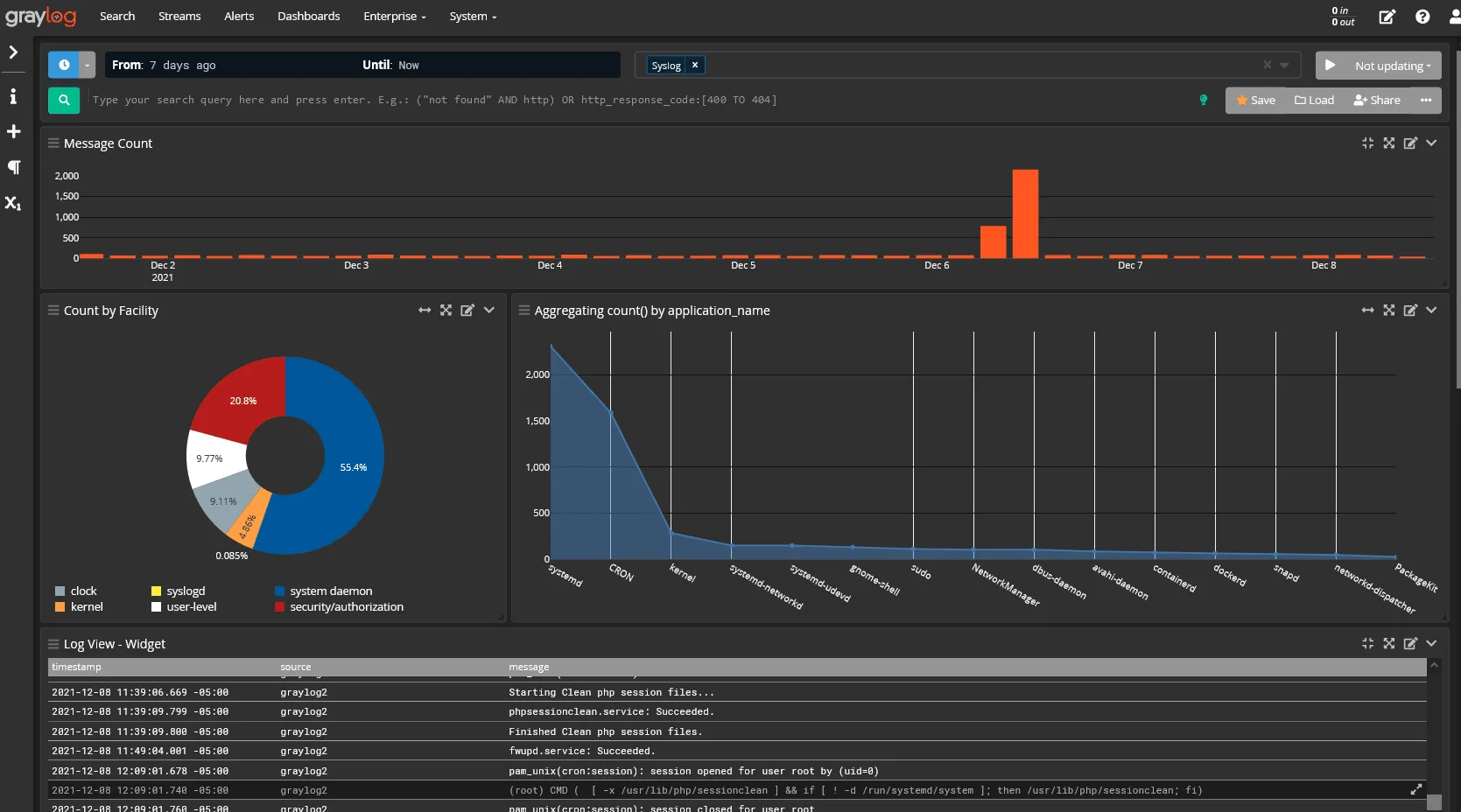
Graylog is an open-source log management platform that gives teams a self-hosted, cost-controlled alternative to commercial logging tools. It runs on an Elasticsearch or OpenSearch backend and provides a web-based interface for log collection, search, pipeline processing, dashboards and alerting.
Graylog gives operations teams and managed service providers control over their logging infrastructure without per-GB SaaS charges. Its open-core model keeps the core platform free, while paid tiers add security analytics and compliance features.
Key features
- Log collection and search: Ingest logs via GELF, Syslog, Beats and other formats; search across large log volumes using Elasticsearch or OpenSearch
- Pipelines and processing: Transform, enrich and route log data using a pipeline processing engine with a visual editor
- Dashboards and alerting: Build visual dashboards and set alert conditions based on log patterns, thresholds, or field values
- Security-focused log management: Graylog Security adds SIEM-like capabilities including anomaly detection and threat intelligence for teams that need security analytics alongside standard log management
Pricing
Graylog Open is free to self-host. Graylog's published commercial pricing starts at $15,000 per year for Operations and $18,000 per year for Security, with final cost depending on the deployment and selected capabilities.
Pros
- Free open-source platform with no per-GB ingestion cost for self-hosted deployments
- Full data control with self-hosted deployment on any infrastructure
- Elasticsearch/OpenSearch backend provides strong full-text search capabilities
Cons
- Requires operational expertise to scale and tune Elasticsearch/OpenSearch at high volumes
- Some advanced features including security analytics and compliance reporting are behind paid tiers
- Infrastructure complexity grows significantly at scale without dedicated platform engineering
10. Axiom: Best for managed long-retention analytics
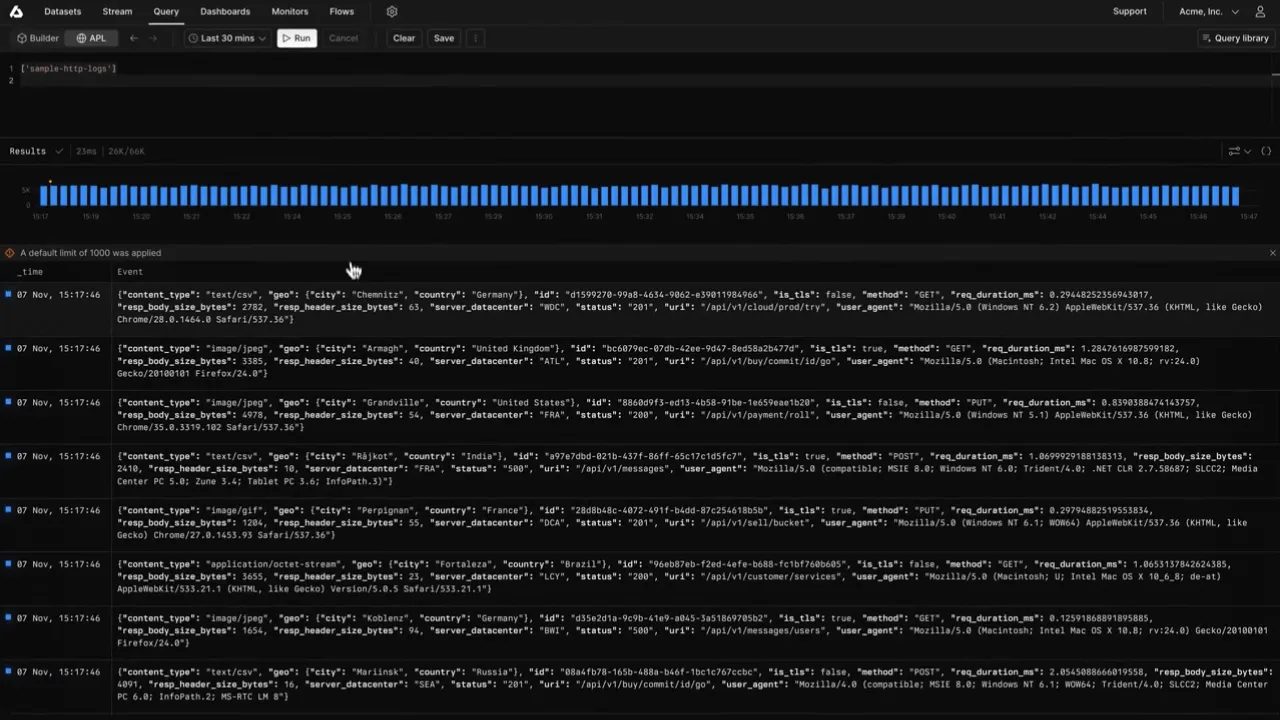
Axiom is a managed log analytics platform for fast queries and long retention. It stores log and event data on a column-oriented backend, with a query interface built for large datasets.
Its pricing and storage model targets teams that retain large log volumes and want to avoid the cost of full-text indexing.
Key features
- Cloud-native log analytics: Fully managed ingestion, storage and querying with no infrastructure to operate or maintain
- Long-retention support: Designed to keep log data searchable for extended retention periods at lower cost than traditional indexing platforms
- Fast columnar queries: Column-oriented storage enables fast analytical queries across large datasets
- API and developer workflows: REST API, webhooks and integrations designed for developer and DevOps teams who prefer programmatic access
Pricing
Axiom's published pricing includes a free Personal plan and an Axiom Cloud plan with a $25 monthly platform fee plus usage. Allowances and charges are separated across ingest, query and storage, so estimate all three for the expected workload.
Pros
- Fully managed with no infrastructure to operate or scale
- Fast columnar queries across large log datasets
- Long-retention support without prohibitive storage cost
Cons
- SaaS-only deployment; not suitable for teams with data residency or self-hosted requirements
- Proprietary query semantics have a learning curve for teams used to standard SQL
- Smaller integration ecosystem than Datadog, Elastic, or Splunk
How to choose the best logging tool
Build a shortlist from the workload rather than the feature count:
- Inventory sources and volume. Record application, infrastructure, Kubernetes, cloud and security sources. Measure daily ingest and estimate growth for the next year.
- Use representative queries. Test the searches, aggregations, dashboards and alerts engineers run during real incidents. Query language and latency matter more than a polished demo.
- Price the full retention period. Include ingest, indexing, storage, query, user, support and network charges. Model current volume and a 10x case.
- Choose the deployment boundary. SaaS reduces operating work. Self-hosting gives more control over residency and infrastructure. Hybrid models serve teams that need both.
- Check adjacent workflows. Decide whether logs must connect to metrics and traces, SIEM, on-call response, or compliance reporting.
Run the same test dataset and query set through two or three finalists. A short proof of concept will expose parsing gaps, awkward query semantics and pricing surprises that a feature matrix cannot.
Final verdict
Choose a logging tool that meets the team's collection, query, alerting and retention requirements at an acceptable cost. Volume, query patterns, deployment constraints and adjacent workflows narrow the shortlist.
Parseable works well when object-storage economics, SQL, OpenTelemetry and deployment control matter. Its S3-native columnar architecture supports longer retention without an indexing-heavy stack.
Existing Datadog users can add logs without changing their investigation workflow. Better Stack connects logs to incident response for smaller teams. Splunk serves enterprise security work, Loki fits Grafana-based Kubernetes environments and Elastic provides full-text search with deployment control.
Evaluate a shortlist against real log volume, representative queries, retention requirements, deployment constraints and the incident workflow engineers use today.
Try Parseable for free at app.parseable.com and see how cost-efficient unified observability compares on your own workloads.